Connect
SSH, SFTP and Telnet
One name to remember - you, the account and the server, separated by # and @. The bastion signs in to the server for you.
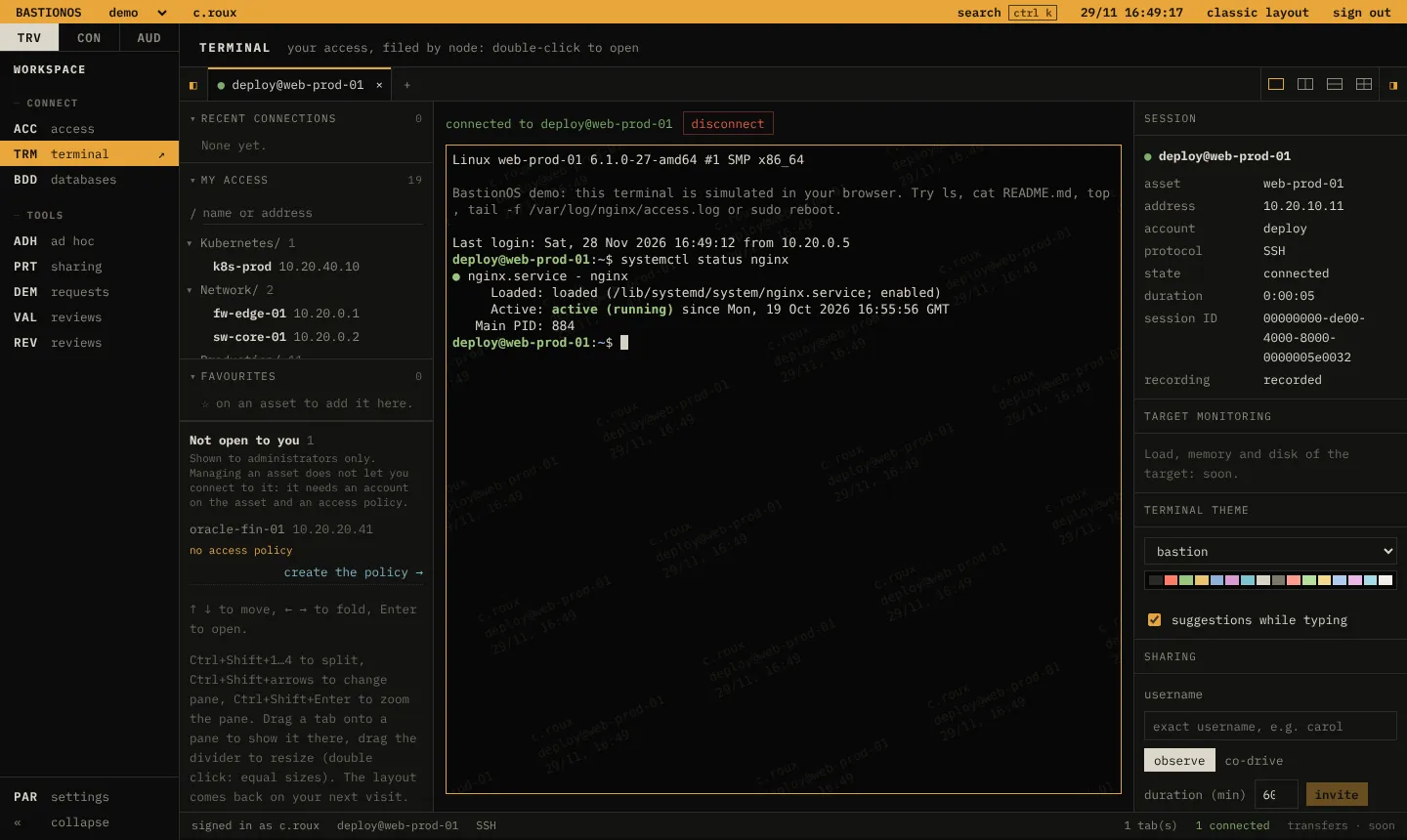
From the browser#
In My access, click Terminal on the server's row, or Files for file transfers. Or open Web terminal (a new tab), find the server in the tree or with the search, and double-click it.
- Several sessions open as tabs; a tab can be split into panes.
- Reconnect asks for a new connection when the line drops.
- Copy and paste work as in a local terminal. Uploads and downloads in Files depend on the
uploadanddownloadactions of your access.
From your own SSH client#
$ ssh -p 2222 'alice#root@web-01'@bastion.example.comThe login name is <you>#<account>@<server>:
| Part | Meaning |
|---|---|
alice |
your BastionOS user name |
root |
the account to open on the server |
web-01 |
the asset's name in BastionOS |
Quote the whole login name: # starts a comment in most shells. The bastion asks for your BastionOS password, then for a code of your authenticator app. The port is the one your administrator published, 2222 by default.
If you belong to several organizations that each have a server of that name, add the organization: 'alice#root@web-01#acme'.
In ~/.ssh/config#
Host web-01
  HostName bastion.example.com
  Port 2222
User "alice#root@web-01"Then ssh web-01. Tools that call ssh (Ansible, rsync, git) work the same way.
Files: SFTP and SCP#
$ sftp -P 2222 'alice#root@web-01'@bastion.example.com
$ scp -P 2222 report.pdf 'alice#root@web-01'@bastion.example.com:/tmp/OpenSSH 9 and later run scp over SFTP, which the gateway records file by file. Each upload needs the upload action of your access, each download the download action.
Telnet devices#
Switches and older appliances reached over Telnet open the same way, from the browser or with ssh. The bastion types the account's password at the device's prompts. The hop between the bastion and the device is in clear text, as Telnet always is: administrators put such devices behind a jump host or a site connector next to them.
Commands that are blocked or held#
Your organization's command policies can:
- block a command: it never reaches the server, the line is cleared and the terminal shows the policy's name;
- flag it: it runs, and the audit marks it;
- hold it for review: the terminal says the command waits. A reviewer approves or refuses it in Commands to review. Approved, it runs and you see who approved it; refused or not decided in time, it does not run.
Nobody can approve their own command, not even through a shared session.
What is recorded#
- The whole terminal session, replayable in the console.
- Each command line, with its exit status for commands sent with
ssh host 'command'. - Each file operation over SFTP: the path, the direction and the bytes moved.
What you type at a password prompt on the server is not recorded as a command.
Ending#
Exiting the shell ends the connection. A connection also ends after 8 hours, when an administrator terminates it, and when panic mode freezes it: the gateway closes it within about five seconds.