Administer
Assets and accounts
An asset is what users reach; an account is who they become there. The secret of an account goes to OpenBao and never comes back out.
Assets#
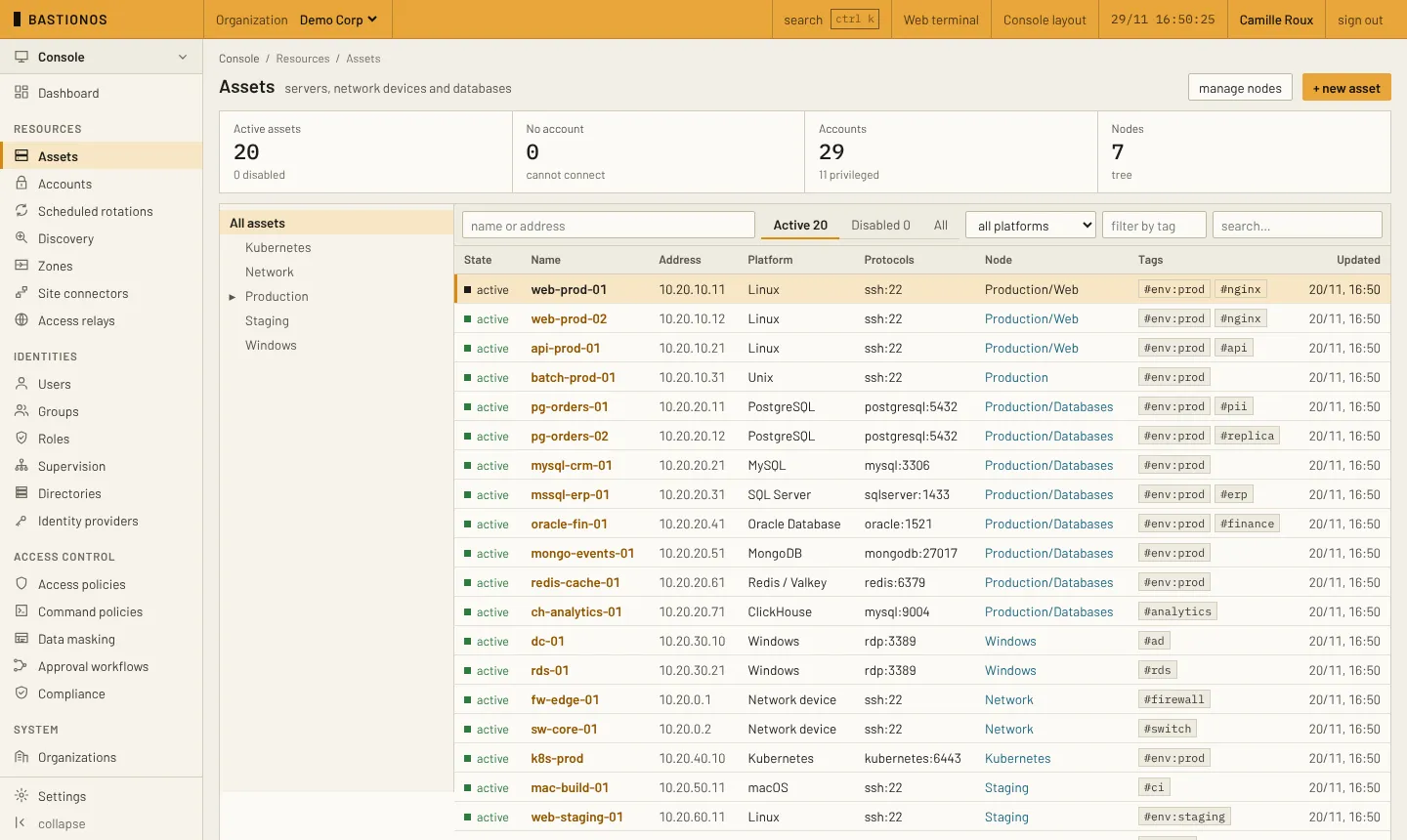
In Console → Resources → Assets, an asset has:
| Field | Notes |
|---|---|
| Name | unique in the organization, case-insensitive; the name users type after @ |
| Address | an IP address or a DNS name, without scheme or port |
| Platform | Linux, Windows, network device, PostgreSQL, MySQL, MariaDB, ClickHouse, MongoDB, Redis, SQL Server, Oracle, Kubernetes... It sets the accepted protocols and their default ports |
| Protocols | for example ssh:22, rdp:3389, vnc:5900, telnet:23, postgresql:5432 |
| Folder | a node of the tree |
| Zone | optional: reached through a jump host or a site connector, see Zones and jump hosts |
| Tags | up to 20, such as prod or team=payments, to find assets across the tree |
The gateway connects only to the address stored on the asset, never to a name typed by the user.
Folders#
The tree of nodes is yours: by site, by team, by environment. Policies that name a folder cover everything below it, at any depth. A folder named by a policy cannot be deleted, since deleting it would silently weaken a deny.
Many at once#
The list is paged and searched on the server, so thousands of assets stay usable, and the keyboard moves through it (j, k, Enter). Infrastructure Discovery (Enterprise Standard) fills the tree from NetBox, Proxmox or vCenter. The API creates assets from a script.
Host keys and certificates#
The SSH host key and the RDP certificate of an asset are trusted on the first connection, then required. A change refuses the connection and tells the user. After checking that the change is expected (reinstall, renewal), an administrator forgets the old key or certificate on the asset.
Accounts#
In Console → Resources → Accounts, an account is an identity on one asset: root, Administrator, app, a service-account token for Kubernetes. Its credential is a password, an SSH private key (with its passphrase) or a token.
- Write-only secret. The secret goes to OpenBao. The console and the API can replace or remove it, never show it. The gateways receive it wrapped, for one connection.
- Privileged flags accounts such as
rootfor reports and detections. - An account that has been used is disabled, never deleted, so its sessions and audit keep pointing at it.
Reusable accounts#
A reusable account describes an account once, such as nimda or app, with one secret. Apply it to assets or whole folders: each asset gets an account that follows it. One new password then reaches every follower at once. Giving a follower a secret of its own stops it following.
Rotation#
Rotate on a Linux password or SSH key account generates a new secret, has the SSH gateway set it on the target, checks that it signs in, and only then stores it in OpenBao. Nobody sees it. Rotating needs an access policy that lets you connect to the account. Scheduled rotations of passwords and SSH keys, and pushing accounts to new servers, are Secrets Autopilot (Enterprise Standard).
What users see#
A user sees an asset in My access only when an access policy allows them at least one of its accounts.