Administer
Access policies
Nothing is allowed until a policy allows it. Each connection is decided when it opens, against the policies in force at that moment.
A policy#
In Console → Access control → Access policies, a policy has:
| Part | Meaning |
|---|---|
| Effect | allow or deny. A deny wins over any allow |
| Who | users and groups of the organization, up to 100 |
| What | folders (every asset below, at any depth), assets (every account on them) or accounts, up to 100 |
| Protocols | ssh, rdp, postgresql... or all |
| Actions | connect (shells, desktops, queries), upload, download (files over SFTP; on desktops the clipboard follows them), export (tables from the SQL workbench) |
| Source networks | client addresses or ranges, IPv4 or IPv6, such as 10.20.0.0/16; empty for any |
| Schedule | weekly windows in a time zone, such as Monday to Friday 08:00 to 19:00 Europe/Zurich; a night shift is two windows |
| Validity | from and until dates, for time-bound access |
| Status | active or disabled |
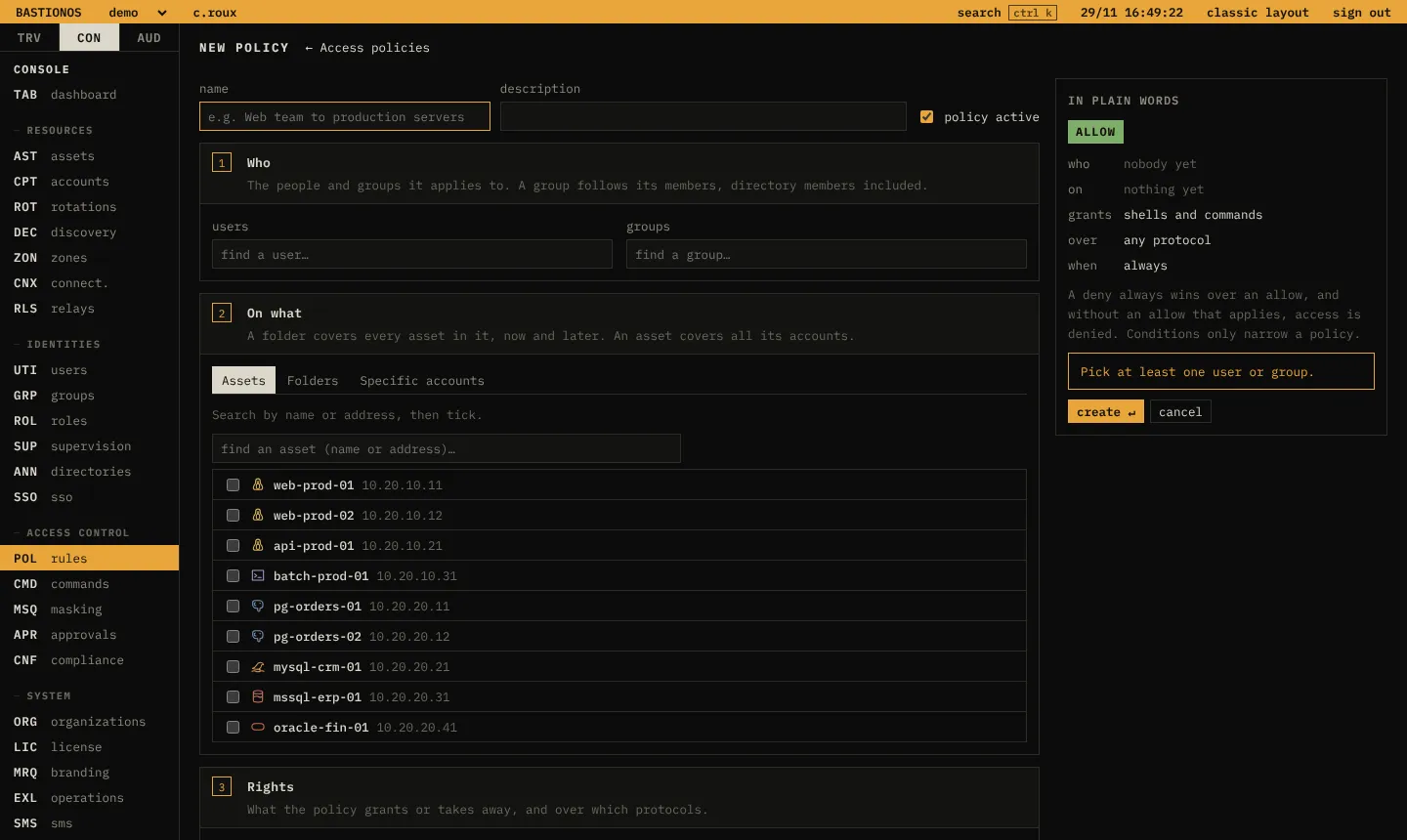
The console edits a policy in four steps: who, what, conditions, actions.
How a connection is decided#
- State first. A disabled organization, user, asset or account refuses, as does a protocol the asset does not offer.
- Applicable policies: active, naming the user (directly or through a group) and the account, its asset or one of its folders, for this protocol, whose schedule, networks and dates hold now.
- Actions. The actions granted are those of the applicable allows, minus those of the applicable denies. None left: refused.
Rules that keep it safe:
- a condition that cannot be evaluated counts as met for a deny and unmet for an allow;
- a disabled group keeps its denies, never its allows;
- adding a condition to an allow never grants more; adding one to a deny never takes access away.
The user is told only that access is denied, never which policy refused.
Simulation#
Before saving, simulate a connection: a user, an account, a protocol, an address and a time. The simulation answers exactly as a gateway will, with the reason and the policies that decided, without connecting or changing anything.
Examples#
Developers on production, office hours only
- allow · group
developers· folderProduction·connect· Monday to Friday 08:00 to 19:00 - deny · group
developers· folderProduction/Payments· every action
A contractor for two weeks, from their network
- allow · user
ext.martin· accountdeploy@app-03·connect,upload· source203.0.113.0/24· valid from 1 to 14 March
DBAs export, others only query
- allow · group
dba· folderDatabases·connect,export - allow · group
support· folderDatabases·connect
While a connection lasts#
A policy change applies to connections opened afterwards. An open connection lasts until it ends, at most 8 hours for SSH. To end one now, terminate it in Audit → Sessions, or freeze the user or the asset with panic mode: the gateway closes it within about five seconds.
Access granted by a request#
With Access Workflow (Enterprise Standard), an approved request creates a policy for one user on one account, for the time granted, at most 31 days. It shows in the list as granted by a request, cannot be edited, and deleting it revokes the access at once.